
You have started your hosting plan with us, and now you want to create custom emails with your domain name? You are on the right page !
Creating an email is very easy. Use the following 3 steps to start enjoying your custom emails
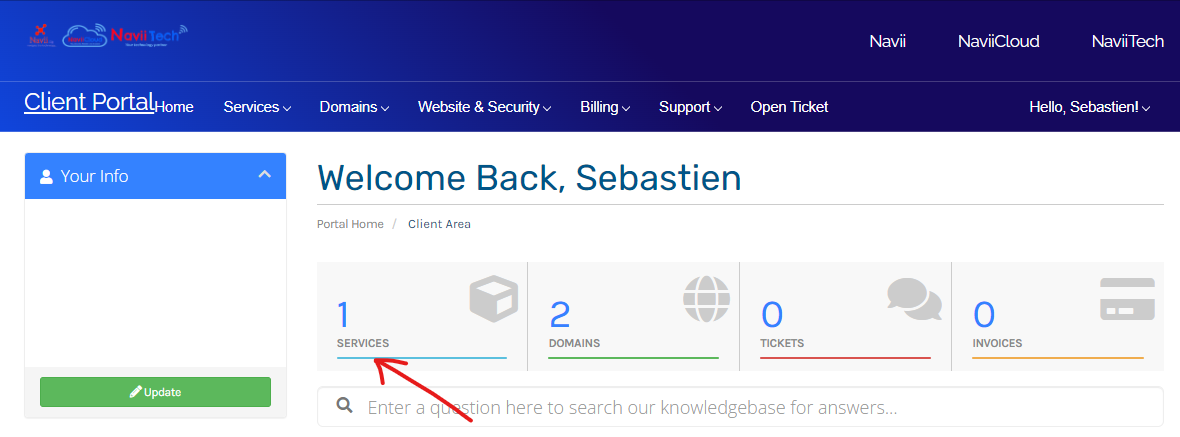
- Login to your Client Account and select the Services tab : https://portal.navii.ca/clientarea.php
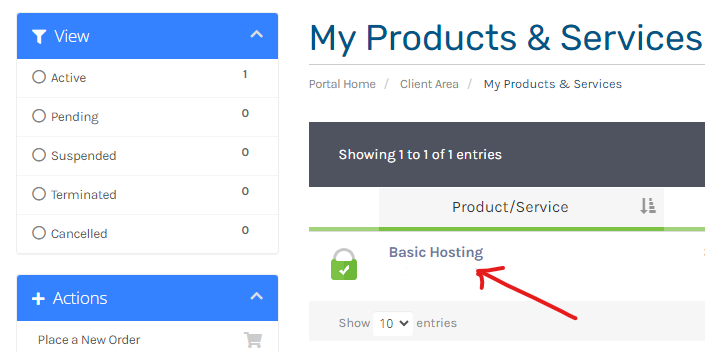
- Select the hosting plan with the domain name you would like to create custom emails for
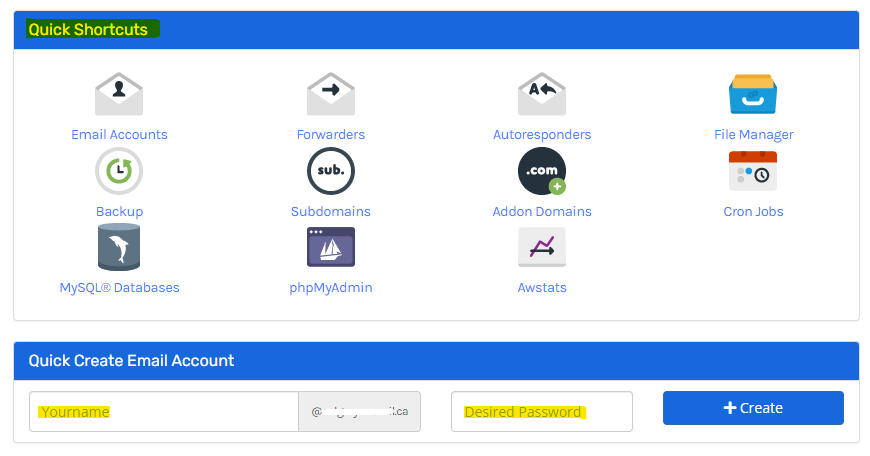
- You will then see various options for things to configure for your hosting plan. Scroll down to the area showing Quick Shortcuts as shown on the image below, and enter the email address and the Desired Password for the custom email, then click on the Create button
- That's it, you are done. You can now access your custom email from your device.
- If you want to modify an existing email, you can click the Email Accounts icon from the image above (administrators only)
For information on how to add your custom email to your device (Mobile Phone, Computer, Outlook App, Mail App, Gmail App...etc), please follow this guide : How to add my email address on my device
